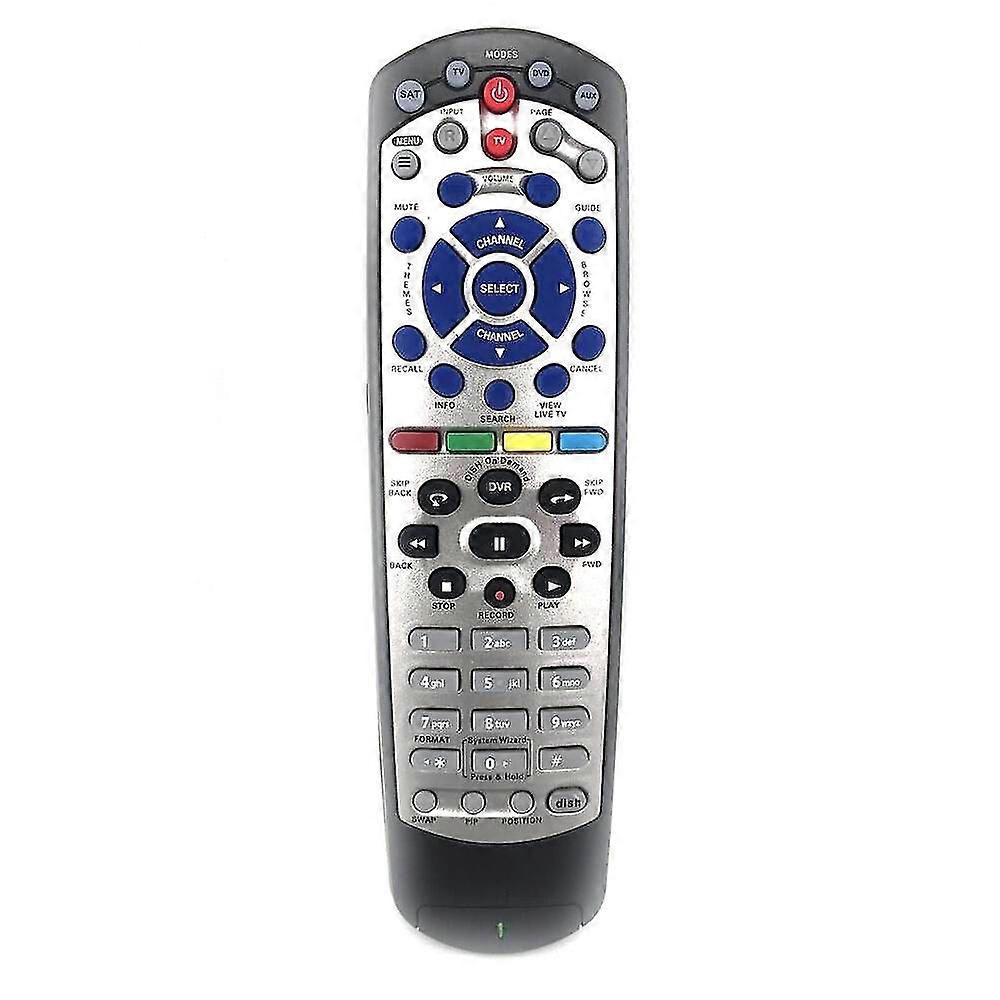
2026 Replacement Dish20.1 For Dish Tv1 Dish Network Tv Dvd Vcr Learning Ir Remote Control

₹1,299.00
+ ₹315.49 शिपिंग

2026 Replacement Dish20.1 For Dish Tv1 Dish Network Tv Dvd Vcr Learning Ir Remote Control

  • ब्रांड: Unbranded
द्वारा बेचा गया:

2026 Replacement Dish20.1 For Dish Tv1 Dish Network Tv Dvd Vcr Learning Ir Remote Control

  • ब्रांड: Unbranded

₹1,299.00

बचत करें ₹600.00 (31%)

RRP

₹1,899.00
स्टॉक में है
+ ₹315.49 शिपिंग

14-दिन की रिटर्न पॉलिसी

द्वारा बेचा गया:

₹1,299.00

बचत करें ₹600.00 (31%)

RRP

₹1,899.00
स्टॉक में है
+ ₹315.49 शिपिंग

14-दिन की रिटर्न पॉलिसी

पेमेंट के तरीके:

विवरण

2026 Replacement Dish20.1 For Dish Tv1 Dish Network Tv Dvd Vcr Learning Ir Remote Control

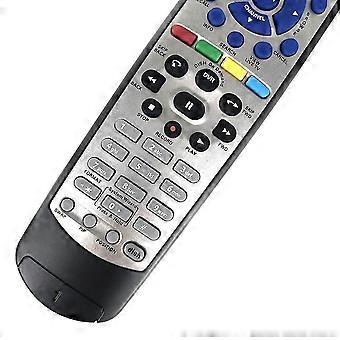
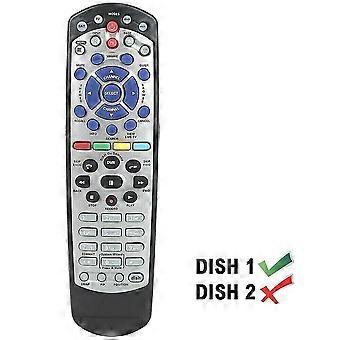
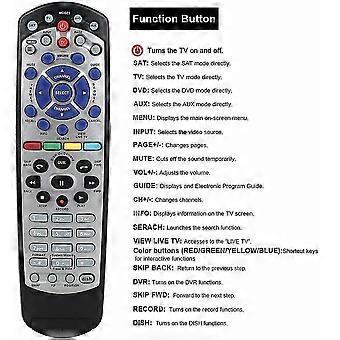
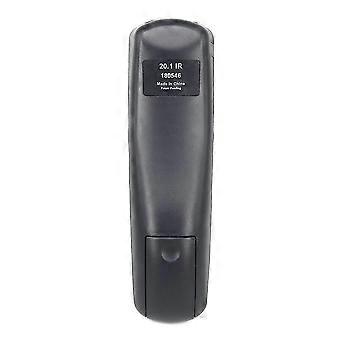
Supplied with TV models: VIP 622, 722, 222, 522, 625, 942, 201, 211, 301, 311, 322, 351, 1000, 2200, 2700, 2800, 2900, 3000, 3200, 3700, 3800, 3900, 4000, 4100, 9200, 5200, 6000. 6100 It requires 2 x AAA batteries,batteries are not included.it has no RF section.It can not be setup in SAT mode.If you have tried the remote control can't work, you can try to press TV device button long, the device lights up, enter the code 1005, and the device flashes two, then indicates that the setup is finished.Programming to Control Dish ReceiverAlthough your remote may already be configured to work with your DISH receiver, there's a chance that you may need to program it. To test whether this is necessary, press the POWER button on the receiver to turn it on, and follow this up by turning on your HDTV or other television. Press the GUIDE button on your remote, and if the programming guide pops up, you can skip to "Programming 20.1 IR Remote for Other Devices."If the guide doesn't show up, press the SYSTEM INFO button that's located on your DISH receiver once. This will bring up the System Info screen. On your remote, press the SAT button, which should illuminate the SAT light. Press the RECORD button once. This will again cause the SAT button to light up.After releasing the RECORD button, press the SELECT button, located on the front of your receiver, to exit out of the System Info screen. Once this is done, point the remote at the television where it will be used. Press the GUIDE button on your 20.1 IR remote once, and this should bring up the programming guide to show everything has gone smoothly.Programming 20.1 IR Remote for Other DevicesOnce you're sure your DISH receiver and 20.1 IR remote are connected properly, programming the remote to your DVD player or other device is a cinch. While facing the device that you need to program, press the button that corresponds to the device you're programming (TV, DVD, AUX, etc). Hold the button down until all four mode buttons light up.You will now need to enter the three-digit manufacturer code that correlates with the device you're programming. Unfortunately, these codes can vary immensely. A code for a home stereo system and television from the same manufacturer, for instance, will not be the same. Luckily, DISH has remote control codes readily available and easily searchable on their website.After entering the three-digit code, the mode button you're programming will light up. Press the POUND (#) button once. This should cause the specific mode button to blink three times. Your device should now be configured. Test this by pressing the VOLUME, PLAY, or other buttons related to the device.
  • Fruugo ID: 359301299-781471861
  • EAN: 6471762413287

उत्पाद सुरक्षा जानकारी

कृपया नीचे दी गई इस उत्पाद से संबंधित विशिष्ट उत्पाद सुरक्षा जानकारी देखें

निम्नलिखित जानकारी इस उत्पाद को बेचने वाले स्वतंत्र तृतीय-पक्ष खुदरा विक्रेता द्वारा प्रदान की गई है।

उत्पाद सुरक्षा लेबल

CE Mark
सुरक्षा चेतावनियाँ: Check the product before use,do not let your children touch this product alone to avoid swallowing or other injuries. to ensure safe use.
सामग्री: 9% metal 91% plastic.

डिलीवरी और वापसी

2 दिनों के भीतर भेजा जाएगा

  • STANDARD: ₹315.49 - के बीच वितरण मंगल 03 फ़रवरी 2026–बुध 18 फ़रवरी 2026

चीन से शिप हो रहा है।

हम आपके द्वारा ऑर्डर किए गए उत्पादों को पूरी तरह से और आपके विनिर्देशों के अनुसार डिलीवर करने की पूरी कोशिश करते हैं। हालाँकि, यदि आपको अधूरा ऑर्डर या आपके ऑर्डर से कोई अलग आइटम प्राप्त होता है या किसी अन्य कारण से यदि आप अपने ऑर्डर से संतुष्ट नहीं हैं तो आप ऑर्डर या ऑर्डर में शामिल कोई भी उत्पाद वापस कर सकते हैं और आइटम के लिए पूर्ण रिफ़ंड प्राप्त कर सकते हैं। सम्पूर्ण वापसी पॉलिसी दिखाएँ

उत्पाद अनुपालन विवरण

कृपया नीचे दी गई इस उत्पाद से संबंधित विशिष्ट अनुपालन जानकारी देखें।

निम्नलिखित जानकारी इस उत्पाद को बेचने वाले स्वतंत्र तृतीय-पक्ष खुदरा विक्रेता द्वारा प्रदान की गई है।

निर्माता:
नीचे Fruugo पर बिक्री किए जाने वाले संबंधित उत्पाद निर्माता के संपर्क विवरण की जानकारी संबधी सूचना है।

  • 91440300MA5GMR1D7R
  • shenzhenwudikejiyouxiangongsi
  • shenzhen Longhuaqu Longhuajiedao Fukangshequ Yidexinggongyechangqu Changfang4dong4ceng410
  • shenzhen
  • CN
  • 518000
  • Pjmask@163.com
  • (+86)075556351508
  • https://www.wudikeji.com

यूरोपीय संघ(EU) में जिम्‍मेदार व्यक्ति:
नीचे यूरोपीय संघ में जिम्मेदार व्यक्ति की संपर्क जानकारी संबंधी सूचना है। जिम्मेदार व्यक्ति यूरोपीय संघ में स्थित पदनामित आर्थिक ऑपरेटर है जो यूरोपीय संघ में बिक्री किए जाने वाले संबंधित उत्पाद संबंधी अनुपालन दायित्वों के लिए जिम्मेदार है।

  • Hans-Joachim Bobsin
  • SINO-SEAR GmbH
  • Feuerbachstrasse 11, 14471 Potsdam, Germany
  • Germany
  • Germany
  • 14471
  • info@sino-sear.com
  • 49 33195130908
  • https://www.sino-sear.com